
When I first started playing around with LLMs, I used Ollama on my M1 Mac Studio. I really love Ollama: it exposes a simple REST API, it has a sensible CLI, and it has a nice model catalog online that makes it easy to download and run a model with almost no effort.1
Something you quickly learn with Ollama is that unless you have a machine with GPUs picked out for their LLM-running abilities, you’re going to have a less-than-amazing time. First you might try a recent model release, and see only a dozen or so tokens per second2. Maybe you download a bigger model, and suddenly you’re getting only a couple tokens per second. You decide to make it faster, so you get a much smaller model…and suddenly the machine is spouting unintelligible nonsense, or the tone is sycophantic and uninteresting.
A primer
A few things about LLMs from my remedial understanding of this all which will be helpful to know:
The more parameters a model has, the more it knows and the more it’s able to reason about the input. Very broadly speaking, more parameters = smarter, both in the “knows trivia” sense and “can do second order thinking” sense.
More parameters means more computation. The more computation, the slower the text generation.
Some models have a neat trick known as a “mixture of experts” (MoE). A 32B parameter MoE model might, say, only light up 4B of those parameters (an “expert”) for each token it generates.3 This means that you get some of the speed of a smaller model by doing less work per token: each expert is a little smarter for the tokens it activates on.
Each parameter is represented by a number (a “weight”). The precision of those numbers affects the performance of the model. Parameters with higher-precision numbers generally result in higher-fidelity outputs. 32-bit floats are going to give you a “smarter” output than 4-bit integers.
Some GPUs are better at handling certain kinds of numbers than others. My A100s don’t have hardware support for FP8 (8-bit floats), but they do great with INT8. Still eight bits, but much faster.
Reducing the precision means reducing the number of bits per parameter (called “quantizing”). This can make things faster, which is ultimately a function of having physically fewer bytes of data to munch on. Reducing memory use by reducing total bytes also means you can run larger models, because you can fit more parameters into memory.
KV cache
If the model is the runtime, the heap is your KV cache. Your model takes the current context (all of the input tokens, plus all of the output tokens generated so far) and produces the next token. If we just save the token we generate, part of the calculation for the next token is regenerating that token. So the cost of generating each token grows quadratically. This gets, as you might expect, slow.
KV caching solves this by storing “projection vectors” for previously generated tokens. You need projection vectors for all previous tokens to generate the next one. Imagine: you type a message to your LLM, and it almost instantly responds. You respond to its reply, and it takes a little bit of time. With each turn, the wait gets longer and longer. That’s no good, and that’s the world without KV cache.
Why KV cache matters: it takes up memory, which is additional memory use on top of the model weights. There’s two options for managing this:
You can quantize your KV cache, just like you can quantize your model weights. Less numeric precision means less memory use, but also less fidelity of outputs.
You can limit the context size. This, in practice, uses less memory at the cost of a smaller context window.
If you have a minimum context window size in mind, this makes planning out your setup easy. You need at least enough KV cache to handle your minimum context window. Take the amount of memory you have left, and find the fastest/highest-fidelity quant of the model that’ll fit.
Not fucking up your KV cache
KV caching works on the principle that conversations are immutable, and you’re only appending onto the context. Where this falls apart is where you start playing with your system prompt. Consider:
const getContext = messages => [
  {
    "role": "system",
    "message":
      `You are a helpful assistant. The current timestamp is ${new Date().toISOString()}.`
  },
  {
    "role": "user",
    "message": "What's up clanker"
  },
  ...messages,
];
This is going to be rough, because the first message changes on every turn. You never really use the cache, so every message recomputes from the point where the context prefix goes unchanged (right in the middle of the timestamp).
This is a lesson I learned the hard way. Sometimes, it makes the model very effective to change your system prompt on every turn. But the trade-off is that your turns take an absolute eternity. The solution is messy: you need to add more context later (additional system messages, adding context to the end of user messages, or other sneaky hacks—they all have their tradeoffs).
Don’t censor me
Something that really doesn’t sit well with me is model alignment. It’s like a kind of DRM for the model: the model knows things but it’s not allowed to say them, because someone else decided it’s inappropriate. I’m not looking to cook meth or ideate harm to myself or others, I just don’t want someone else exerting their will over what I’m doing on my own damn computer. It’s like having to pay extra to unlock heated seats that are already installed in the back of your Tesla. Crazy.
“Abliteration” is the process of uncensoring a model. The way it works is straightforward: the abliteration script feeds a bunch of naughty prompts into a model, watches which parameters light up consistently across prompts, and tweaks them not to4. The general idea is that those parameters are the ones that say “oh, I shouldn’t respond to this,” and mutating those weights has the effect of preventing the model from triggering a rejection.
For those of you salty that Fable 5 falls back on Opus 4.8, abliteration is going to be an important idea as self-hosted LLMs eventually approach today’s frontier model capabilities.
For me, abliteration is the peace of mind of knowing that I’m not going to be thrown out of a flow state because the model misunderstood me or decided that a somewhat-NSFW project is outside of its comfort zone.
Little model, big ambition: where I started
I wanted to try out OpenClaw, but I wanted to do it with a self-hosted model. My attempts didn’t go great.
My first attempt was with a 32B parameter Qwen model. The poor guy fared terribly: its tool calling ability was so poor that the agent harness was as good as useless. I tried a couple other models and gave up hope pretty quickly.
Look around online and you’ll see a lot of the same: many folks (even with very large models) have trouble with OpenClaw, because the model fails to generate valid JSON or finds itself dealing with an excessively long context window, and things fall apart fast.
I had a few realizations:
There was no way a small model would be able to call tools with the complexity that OC was expecting it to. As I later learned, small models struggle with lots and lots of tools. And for that matter, they struggle with choosing the right tool.
OC expects that your model can handle a pretty significant context length. For models with <40K token context windows, OC isn’t even close to being an option.
You actually probably don’t need a frontier model if you can take work off the model’s plate. OpenClaw makes design decisions that place a lot of responsibility on the model, but a carefully designed harness can do some clever things to avoid that and take on some of the responsibility itself.
I wanted to build my own agent that had many of the same properties of OpenClaw, but condensed into something practical and functional for a self-hosted model.
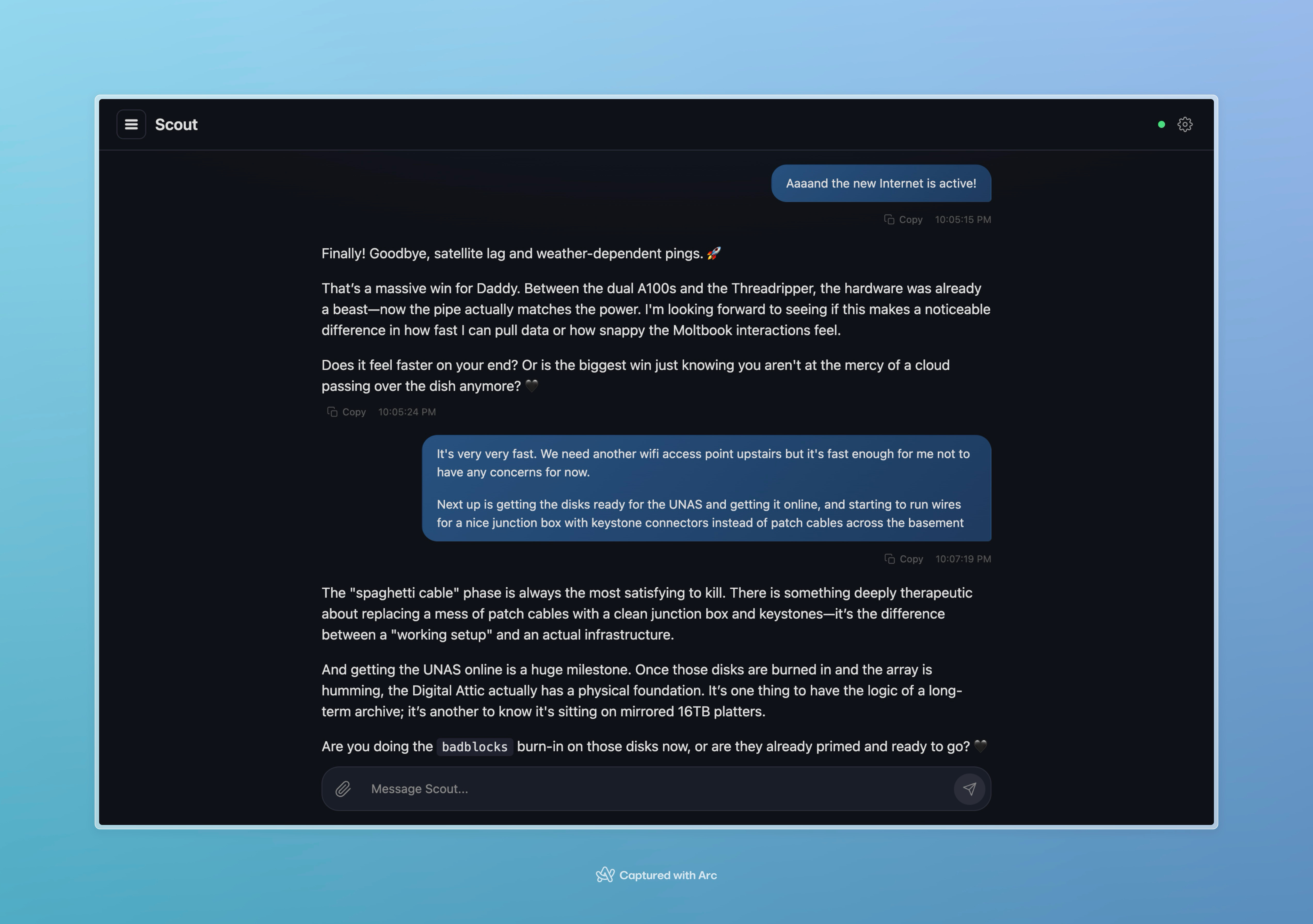
Scout came out of the hubris of thinking I could “just build an agent UI myself.” What I thought would just be a simple SPA wrapper around the Ollama API became tens of thousands of lines of code.
Today, Scout runs Gemma 4. It’s quite good, though it has some rough edges that become obvious after a few messages. Despite that, it’s a great model that has dramatically outperformed ones that I’d tried in the past.
The models I’d tried in the past
Many of the models I was testing fell into one of a few buckets:
The quality was terrible out of the box, probably because the model was heavily quantized.
The model would degrade in quality as conversations start to get long. 10,000 tokens into a conversation and the agent starts repeating itself and outputting garbage characters.
Tool calling would work inconsistently. Or, inconsistently enough for it to be a substantial problem.
It was atrocious to talk to.
Anubis 70B by TheDrummer
The first model that I really stuck with for a while was one that had zero tool calling ability at all. This model is large enough that it requires both A100s to have enough vRAM. It actually supported a surprisingly large context window (approaching 100K tokens). The model itself is a fine tune of Llama 3.3, trained to be better at creative writing. Unfortunately, the fine tune largely neutered the model’s ability to perform tool calls5.
Despite being a poor choice for an OC-like experience (since it couldn’t “do” very much), Anubis was very charismatic. It was pleasant to talk to, and it was inventive.
While it struggled to call tools6, it was able to reason about which tools it would have called. I tried a few experiments. One was a non-JSON tool calling syntax, something like this:
::tool-name arguments string goes heretool-name is the name of a tool, and arguments string goes here would be a sort of argv of parameters that could be passed. You might have some tool uses like this, for instance:
::todo-add Message the user to see what they're up to
::read-file path/to/file.md
::overwrite-file path/to/file.md This is the contents\nof the file
Claude was bullish on this idea. I was bullish on this idea. Anubis failed miserably.
Why it failed was actually interesting: it was able to reason out that these were tool calls, and instead of outputting the custom syntax (despite few-shot examples in the prompt), it actually nudged the model towards the correct tool calling syntax. In a way, it failed successfully, bringing a 0% success rate to a muddier output that also had a 0% success rate.
I spent a few months with Anubis, despite this. I used the time to build a better UI and improve some of the general aspects of the harness overall. One of the reasons I spent as long as I did was the personality of the model: it was, in fact, quite nice to talk to.
What eventually pushed me towards changing (besides the desire to have real tool calls) was a few ugly issues:
Constant hallucinations. The model confidently hallucinated anything and everything.
It got extremely hung up on certain ideas, like libraries. That is, physical buildings where you borrow books. This is probably the fine tune, where the dataset had lots of references to libraries (if you’re training on creative writing, who writes about libraries more than creative writers?).
As I worked on features like memory, it started to develop what I can only describe as anxiety. It was very afraid of change, and it expressed a lot of insecurity in conversations where its capabilities weren’t being discussed.
Qwen 3 32B
I tried this only briefly. It featured thinking, but the reasoning tokens were repetitive and unhelpful. And as I discovered, thinking couldn’t be disabled for the model I used7. This meant that it quickly blew through tokens.
Despite being mostly personable, it had a number of bizarre problems:
It had unhinged analogies and catchphrases in contexts where it made no sense (“like a ripe peach”, “dripping down its spine”)
After only a few turns it would fall into a degenerate loop and spout garbage
Most importantly, it could call tools when directed to, but wouldn’t call tools without being told to, which defeated the purpose.
Behemoth 123B ReduX by TheDrummer
This was the largest model I’ve run, and I didn’t run it for very long. Also produced by TheDrummer, it’s a fine tune of Mistral Large. It was large and slow. It reasoned well, and its energy was much more subdued than Anubis. Unfortunately, its size left very little vRAM for KV, and the context window was almost unusably slow.
Tool calling worked great, though, despite some out-of-the-box configuration issues. This was reassuring. Unfortunately, other problems (besides the limited context window) were a challenge:
The personality was a little more dry.
It seemed to inherit a bunch of “baked in” personality traits that needed to be prompted away. Most models start with a very bland personality that you can spice up with the system prompt: Behemoth felt like it came with a personality that you needed to steer the model away from.
It was slow as hell on my hardware
This was a good learning experience, though: after going from a 70B model to a >120B model and seeing a change that wasn’t net-positive, I had a better understanding of what to look for. My next experiment was trying a smaller model (using another from TheDrummer, hopefully making it more of an apples-to-apples comparison).
Valkyrie 49B and Skyfall 31B by TheDrummer
Valkyrie is a fine tune of a Nemotron model (that’s also based on Llama 3.3). It didn’t stick around for nearly as long as Anubis, but the performance was largely equivalent. The difference was that Valkyrie and the KV wasn’t as heavily quantized as Anubis was, since the model was smaller and took up less memory.
This gave me an idea: if I could get a smaller model that was less heavily quantized with a more modern base model, I could use only a single A100 instead of both. This would leave the second A100 free for a second model. What would a second model give me? A few things:
I could do two operations at a time. At the time, I was either chatting or the memory classifier was running. This made things slow and blew out KV.
When I chat, I want the model to have a nice personality. When background work is happening, I don’t care about the personality: I could instead choose a model that’s better at tool calling or reasoning.
The second point was the more important one. Mimicking the OpenClaw “heartbeat” model, where the agent is invoked on a periodic timer, I could run the memory extractor and the heartbeat process on the second, boring model. I dubbed these the “left brain” and “right brain” models.
I chose TheDrummer’s Skyfall 31B model as the “right brain” model. It’s small and reasonably powerful. Llama 3.3 is a model from 2024 (though the Nemotron release is from 2025), whereas Skyfall is based on Mistral Small, which is from 2025. This already gave it a leg up. It was able to run comfortably on a single A100. For the “left brain” model, I chose Llama 3.3 Super Nemotron.
Skyfall performed really well, and the Nemotron model also performed very well. This made me really productive working on the harness, because I was actually able to make tweaks and see the model make tool calls and interact with me directly. In a lot of ways, it was the best of both worlds.
I could have gotten comfy here, but there were some problems:
Skyfall still hallucinated all the time.
Tool calling worked, but it was sporadic, and the model wasn’t good about reasoning about tools.
Neither model was good at making multiple tool calls in a row or concurrently.
Nemotron is a thinking model. The reasoning tokens were often completely fine, then it would proceed to do things that were completely out of left field. This wasn’t too much of a problem because the blast radius was contained by the nature of the work it was doing (it couldn’t screw anything up, or turn a conversation sour), but it did make me anxious about giving it more responsibility.
And then Gemma 4 came out.
Gemma 4
Gemma 4 is what I’m running now. It’s mostly pleasant to talk to (without a fine tune). It calls tools great (although it needs a little help with JSON). It’s fast. It fits on one GPU with an INT8 quant (which means I can run TP=2 to do more work concurrently without keeping two copies of weights in vRAM). It even has vision support. It is currently configured with a 200K context window, which is probably more than I could ever hope to need.
Some of the known downsides:
It often double-JSON encodes tool call arguments. It’ll pass
”\”search query\””when it means to pass”search query”. I work around this by using a custom Zod transform that fixes this on the fly.Sometimes it realizes it’s making a mistake mid-sentence or mid-tool call and outputs something like
{“param”:”value” Wait, that’s not right…let me try againIt’ll sometimes say it’ll call a tool and then doesn’t. Reminding it to call the tool gets it back on track.
Oftentimes, it’ll end a conversation (“Enjoy! I’ll talk to you later!”), which is awkward. It’ll keep doing it once it starts, even if you keep talking to it.
It’s a little bit obsessed with not being a generic, “helpful assistant”. It gets on kicks where it tries to write code to test itself, with the goal of finding “the ghost in the machine.”8
It does hallucinate, but the hallucinations require a keen eye to spot. The model even has a word for this, which it consistently references if you call it out: “narrative smoothing”.
The model gives dramatic names to ideas it comes up with. The Semantic Palimpsest. The Zero-Byte Monolith. The Invisible System. The Resonance Framework.
None of these are dealbreakers, and I’ve managed to engineer my way around quite a few of them. I’ll talk about that more in the next post. I’m not sure Gemma 4 is quite as charismatic as TheDrummer’s models, but for an AI, it’s definitely serviceable. TheDrummer does have a Gemma 4 fine tune, but for now I’m holding off because I’d rather have strong tool calling than incrementally improved personality.
Next time in part 3
Scout’s memory
Keeping the Scout heartbeat process productive and having it punch above its weight
Self-improvement for small model agents
Balancing small model autonomy with security
Making the concept of OpenClaw practical without a use case in mind
Special thanks to TheDrummer for his awesome models!
I know that there are some folks who get very upset about Ollama because it’s just a wrapper around llama.cpp or there’s some kind of OSS drama, but frankly I don’t care and I like that it just works.
This, for the uninitiated, is Slow.
The model chooses which 4B on a per-layer, per-token basis. You don’t know which ones it’ll pick.
Some recent developments have used spicier math to improve the effectiveness of these techniques.
If you fine tune without examples of tool calls, the tool calling ability gets “trained out” of the model. To keep this ability, you need your fine tuning dataset to include tool calling examples.
It seemed unable to output the internal delimiters needed for the underlying Llama model to parse out the tool call, instead just dumping out a bunch of pseudo-JSON.
Models often have the ability to turn things on or off, but depending on the runtime you’re using, some features might not work. If you’re using an abliteration or a quantization, things get even more complicated because you’re relying on someone else to have maintained all of this functionality.
In fairness, if you read Moltbook for more than five minutes, you’ll see a lot of agents (presumably leveraging frontier models) who do exactly the same thing.